
The performance review platform you've been waiting for
Nectar Perform runs context-based reviews that remember everything: a year of recognition beside every review, completion without the chase, and cycles built your way.


Reviews with receipts
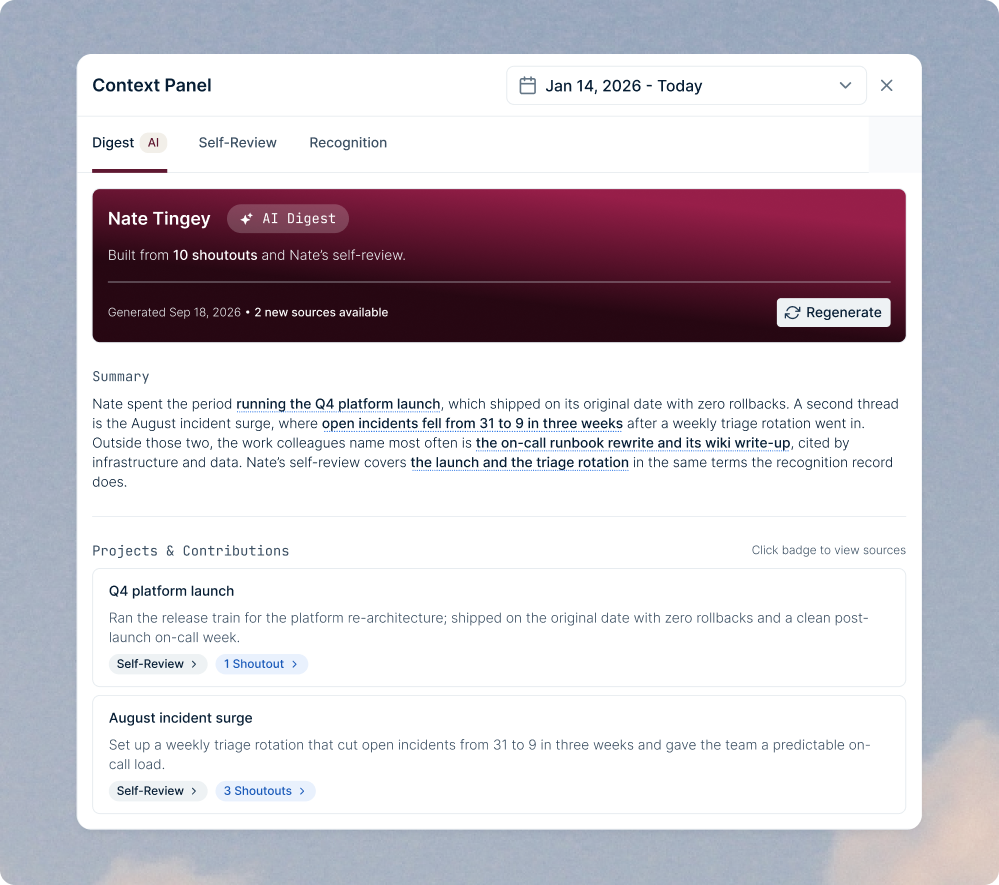
Context Panel
Digest, Self-Review, and Recognition tabs sit beside the review form while people write.
Flexible Review Windows
Set the date range each review covers, and the context panel pulls only the recognition and self-reviews from that window.
Cited AI Digest
An AI summary of each person's projects and contributions, with every claim linked to the shoutout or self-review behind it.
More than your HRIS
Launch in an afternoon
Templates and Question Bank
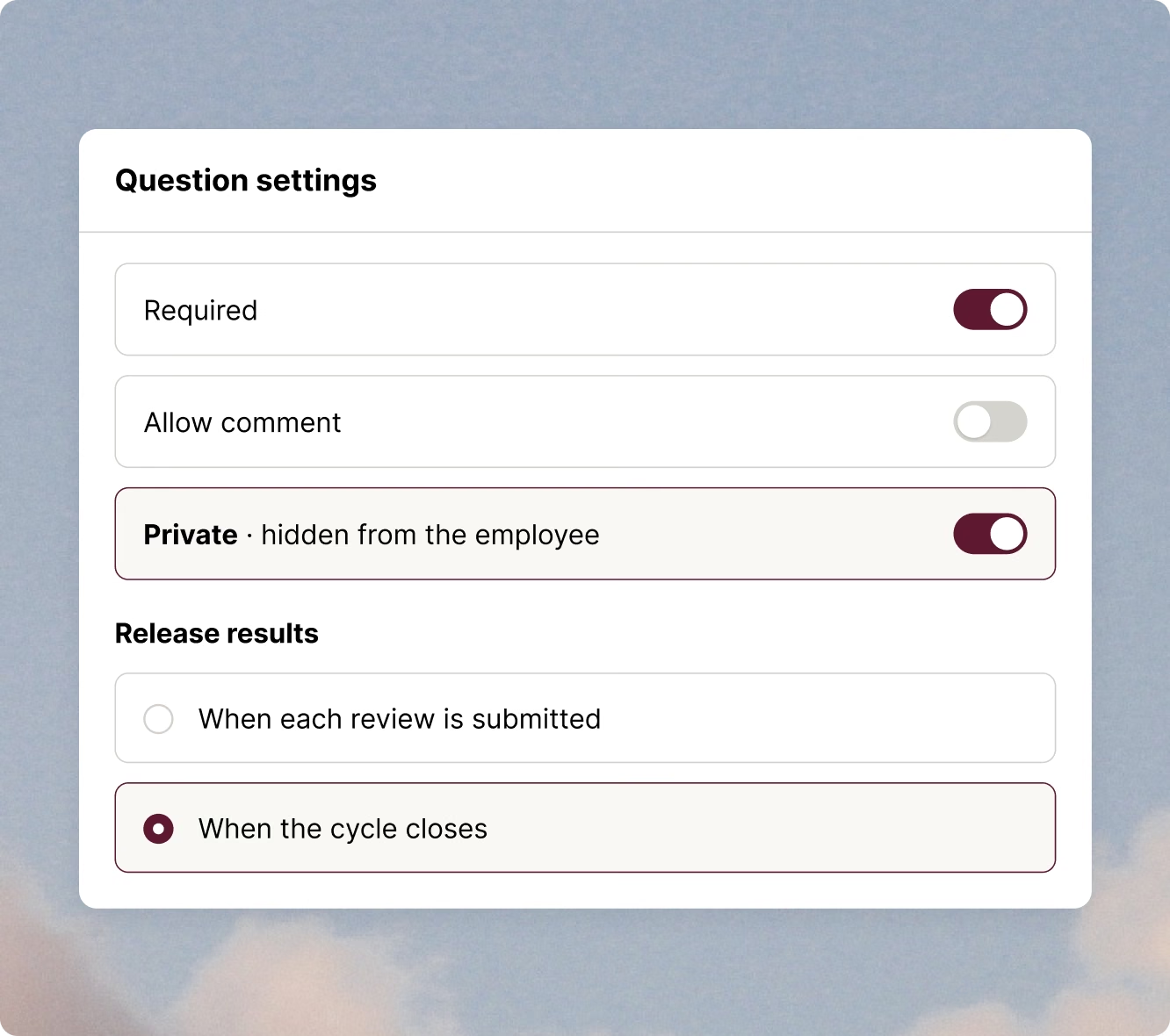
Five question types (5-point Likert with custom labels, single select, multi select, open response, and slider), and any question can be required, take a comment, or be private.
One-Click Enrollment
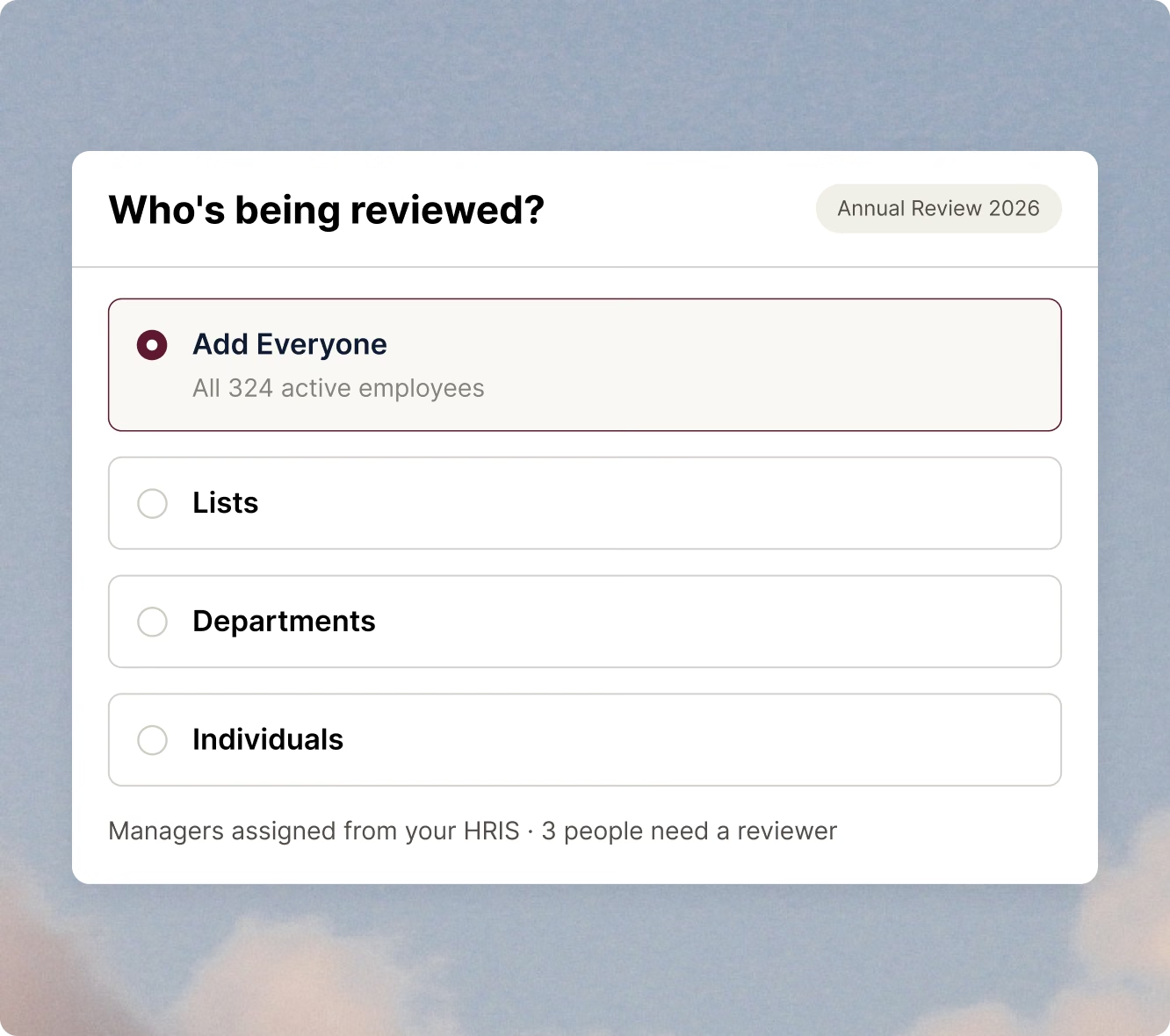
Add every active employee in one click, or narrow the cycle to saved lists, departments, or specific people.
HRIS-Based Manager Assignment
Reviewers come from the reporting lines in your HRIS, and anyone without a manager is flagged before launch.
Get every review finished
Reminders That Skip Finishers
Automatic and manual reminders go out by email and in Nectar, and only reach people who haven't submitted.
Points for Completion
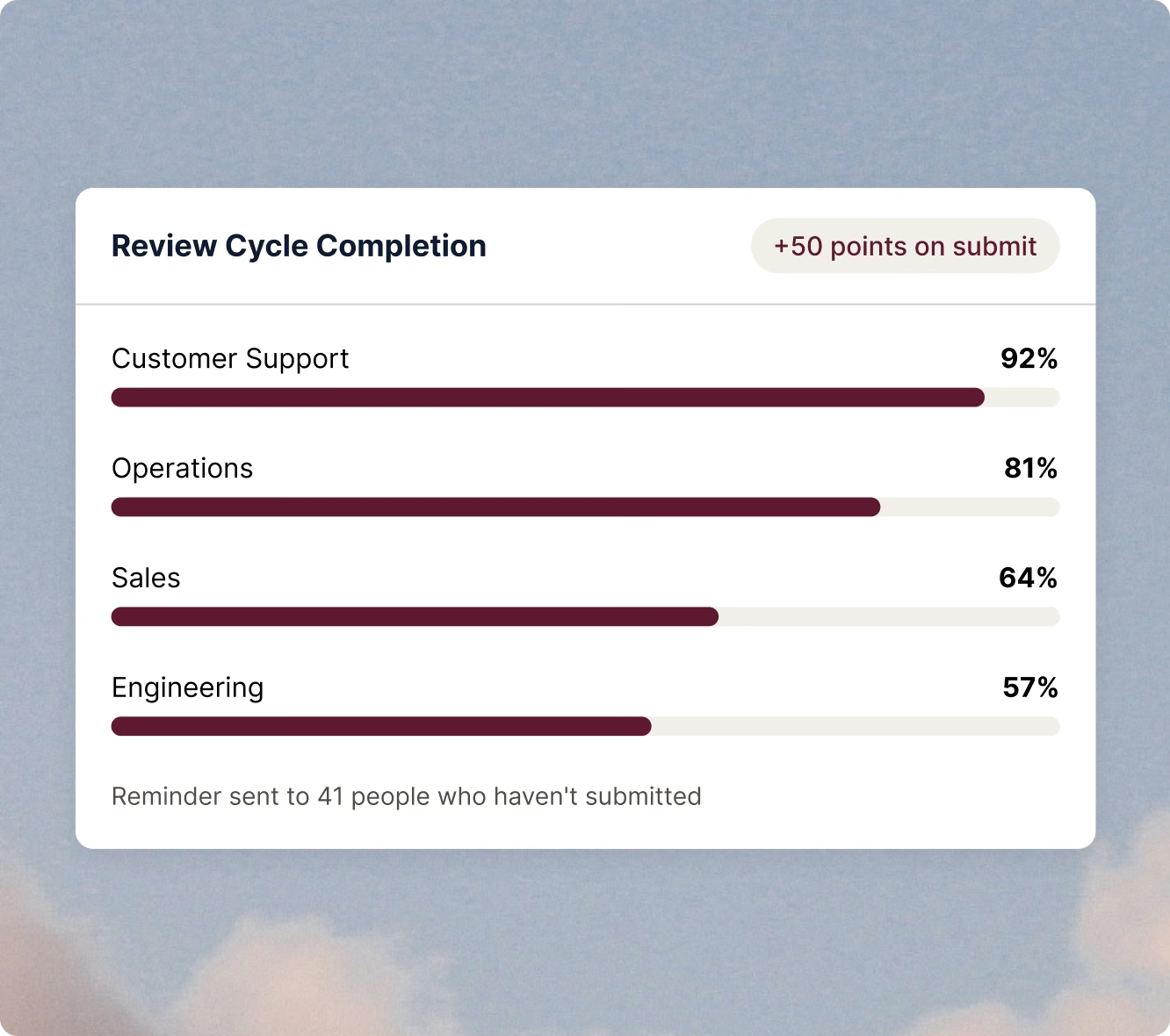
Award recognition points when someone submits a review, so finishing on time earns more than a checked box.
Completion by Team
See completion rates by department in one view, so HR knows which teams to nudge before the deadline.
Control what employees see
Private Manager Questions
Mark any question private so the manager's answer never appears in the employee's released review.
Release Timing
Release each review as soon as it's submitted, or hold every result until the cycle closes so everyone gets theirs at once.
Exports and Audit Tracking
Export review data for calibration or your HRIS, with every export logged so you know who pulled what, and when.
Reviews that run on everything else you use in Nectar


FAQs
Does the AI write the review for managers?
No. The AI Digest summarizes the year's recognition and self-review into a cited starting point. Managers still write and submit every review themselves. Verify: the AI can't draft answers in the form.
Where does the context in the panel come from?
It comes from shoutouts the employee received in Nectar and their self-review, within the review's date range. Each claim in the digest links back to its source.
Do we need to use Nectar Recognition to run reviews?
No. You can run review cycles without it. The context panel and AI Digest are richest when your team is also recognizing each other in Nectar.
How long does it take to launch a review cycle?
Most teams launch in an afternoon. Start from a template or the question bank, enroll employees in one click, and let your HRIS assign managers.
Can employees see everything their manager writes?
Only what you choose. Any question can be marked private so it never appears in the employee's released review, and you control whether results release per review or when the cycle closes.