Orchestrating the Employee Experience
The Problem No One Talks About
Every company has moments that matter — a five-year anniversary, a team member's first week, a promotion that took months to earn. These are the moments that shape how people feel about where they work.
And most of them get missed.
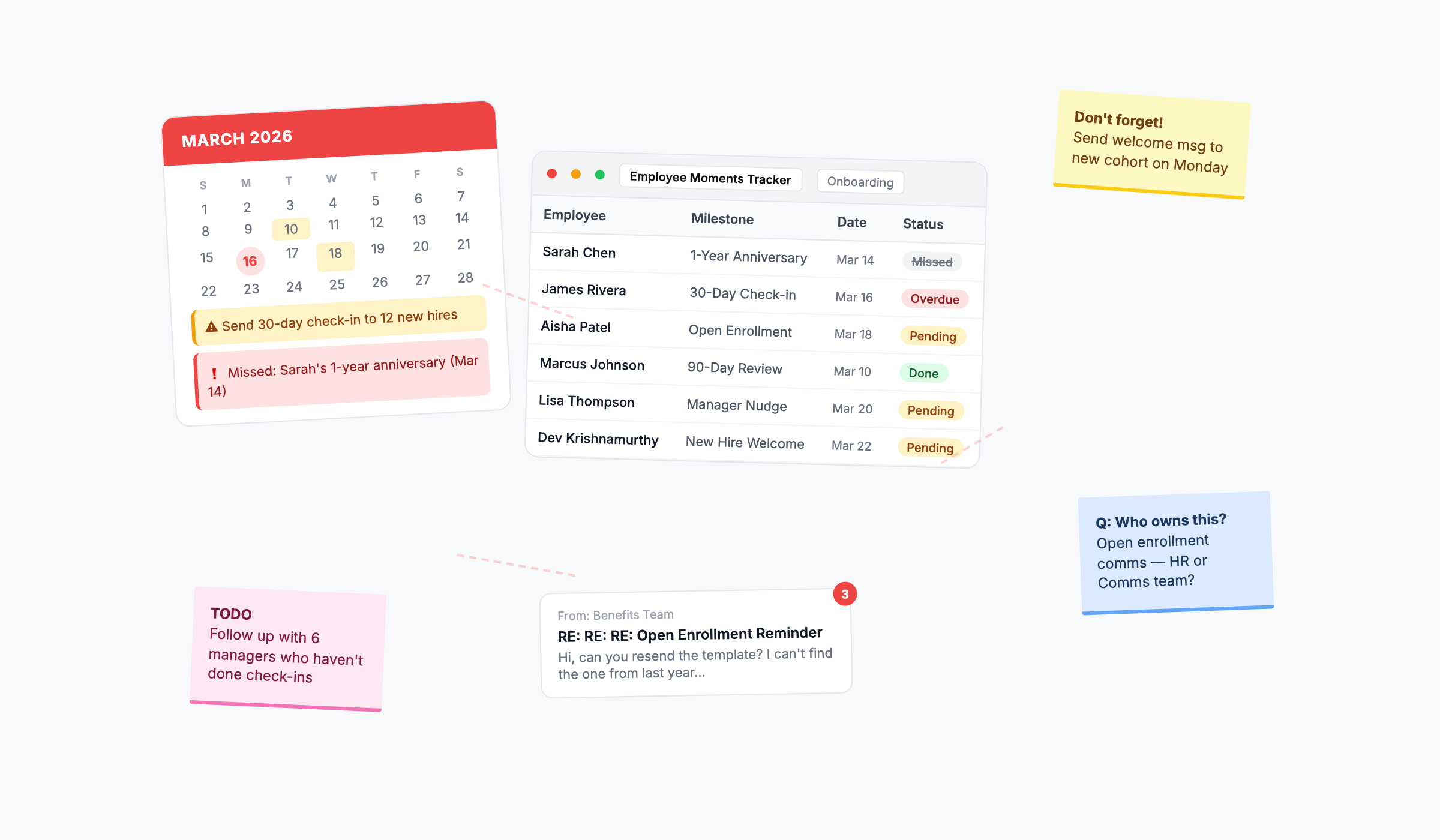
Not because anyone made a bad decision. Because there's no system behind it. The anniversary falls on a Tuesday when the manager is out. The recognition that should have happened on Day 7 slips to Day 14, then doesn't happen at all. The follow-up after a big survey never goes out because something more urgent came up.
It's not malicious. It's just inconsistent. And inconsistency is its own kind of damage.
When recognition is unpredictable — when some people get celebrated and others don't, when the experience depends on who your manager is or what day of the week it falls on — people notice. They don't always say something, but they notice. And over time, it quietly erodes the trust and culture you've been working to build.
58% of companies still manage employee moments manually. Calendar reminders, spreadsheets, good intentions. The tools weren't built for this.
And HR leaders end up spending their time chasing logistics instead of doing the work that actually moves the business — building culture, supporting managers, driving strategy.
That's the real cost. It's not just the missed moment. It's the hours spent trying not to miss it, multiplied across every employee, every milestone, every campaign, every year.
What We Mean by "Orchestrating" the Employee Experience
Orchestration is a specific word, and we chose it deliberately.
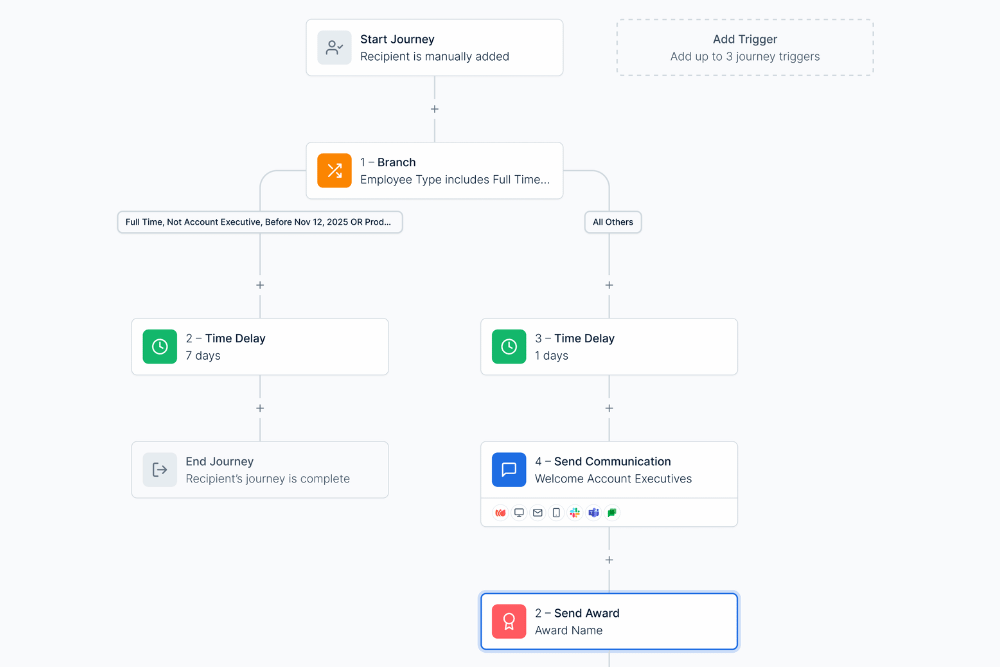
It doesn't mean "sending more emails." It doesn't mean "adding another tool." It means designing a connected sequence of actions — communications, recognition, surveys, manager nudges, time delays, and conditional branches — that runs automatically for every employee who hits a specific trigger.
Think of it like this: instead of 15 separate manual tasks scattered across five people's calendars, you have one visual journey that handles all of it. Build it once, publish it, and it runs in the background — consistently, for every employee, every time.
That's what Nectar Flows does.
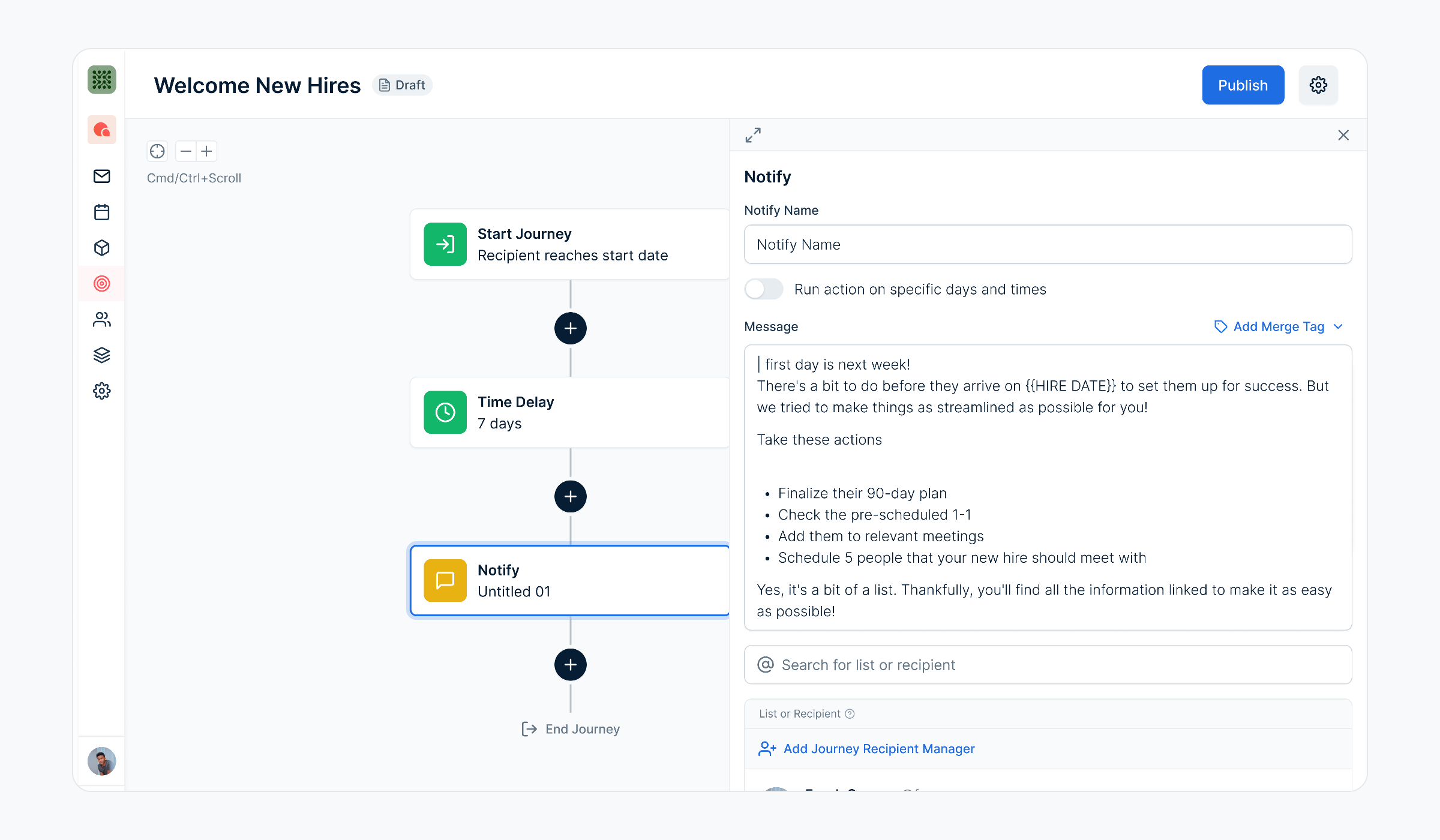
Flows is a visual journey builder. You design multi-step employee experiences on a drag-and-drop canvas — no code, no engineering tickets, no IT dependencies. Then you publish, and every qualifying employee gets the same experience automatically.
.png)
Beyond Onboarding: 4 Use Cases for Automated Employee Journeys
Onboarding is the most common starting point — and for good reason. It's high-stakes, high-volume, and almost always inconsistent. But it's far from the only moment that benefits from orchestration.
1. New Hire Onboarding
The most obvious use case, and the one with the highest ROI. A single Flow can handle:
- Day 1: Welcome email with team introduction and company values
- Day 3: Manager nudge to schedule a one-on-one
- Day 7: First recognition moment — points award with a personalized message
- Day 30: Pulse survey to check how onboarding is going
- Day 90: Milestone celebration with a team shoutout
Every new hire gets the same world-class experience. No one falls through the cracks. And with smart branching, you can personalize the journey by role, department, or location — a nurse's first 90 days looks different from an engineer's, and now the experience reflects that.
Companies with structured onboarding programs see a 77% decrease in early turnover. That number isn't about fancy technology — it's about consistency.
2. Manager Check-ins and Nudges
Managers are supposed to check in with new hires at 30, 60, and 90 days. They're supposed to acknowledge milestones. They're supposed to follow up after surveys. Most don't — not because they don't care, but because they're busy and no one reminded them.
Flows solves this with Notify steps. Insert a manager notification at any point in a journey, and it shows up in their inbox exactly when it's needed. You're not asking managers to remember — you're giving them a nudge at the right moment.
This is one of the most underrated use cases. It doesn't automate the manager's role — it supports it. The manager still writes the personal note, still has the conversation. They just don't have to remember to initiate it.
3. Open Enrollment and Annual Campaigns
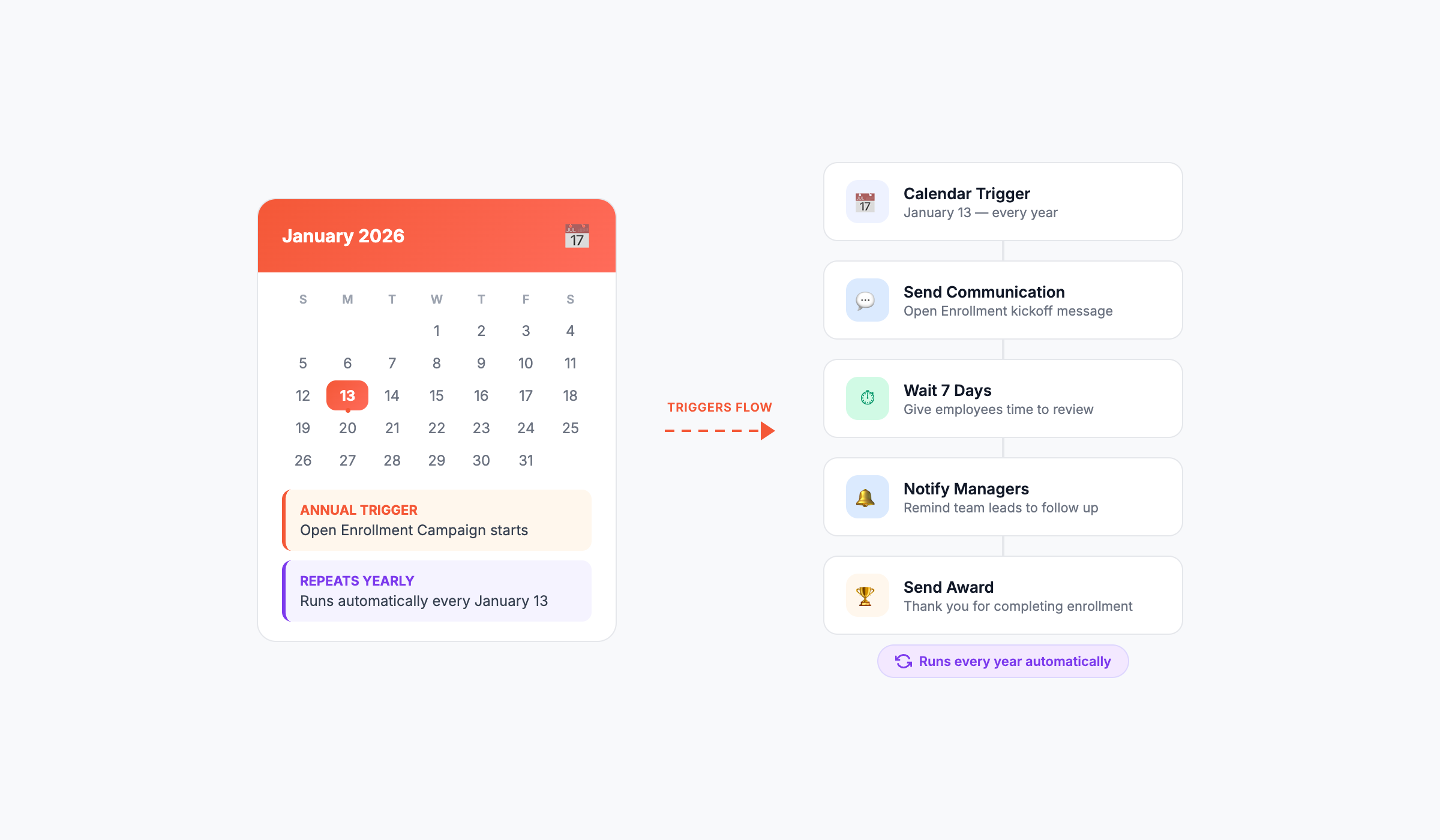
Every year, HR teams rebuild the same campaigns from scratch. Reminder emails for open enrollment, follow-ups for benefits selection, deadline nudges for stragglers. The content barely changes year to year, but the manual work of scheduling and sending starts over every January.
With Flows, you build a calendar-anchored sequence once — reminder on Day 1 of enrollment, follow-up on Day 7, deadline nudge on Day 14, confirmation on close. The trigger fires every year. You review it once, make any updates, and it runs again automatically.
This applies to any recurring campaign: annual surveys, wellness challenges, compliance training reminders, charitable giving drives. If it happens on a schedule, it belongs in a Flow.
4. Learning and Development Recognition
Training completions, certifications, and course milestones are some of the most meaningful moments in an employee's career — and some of the most overlooked.
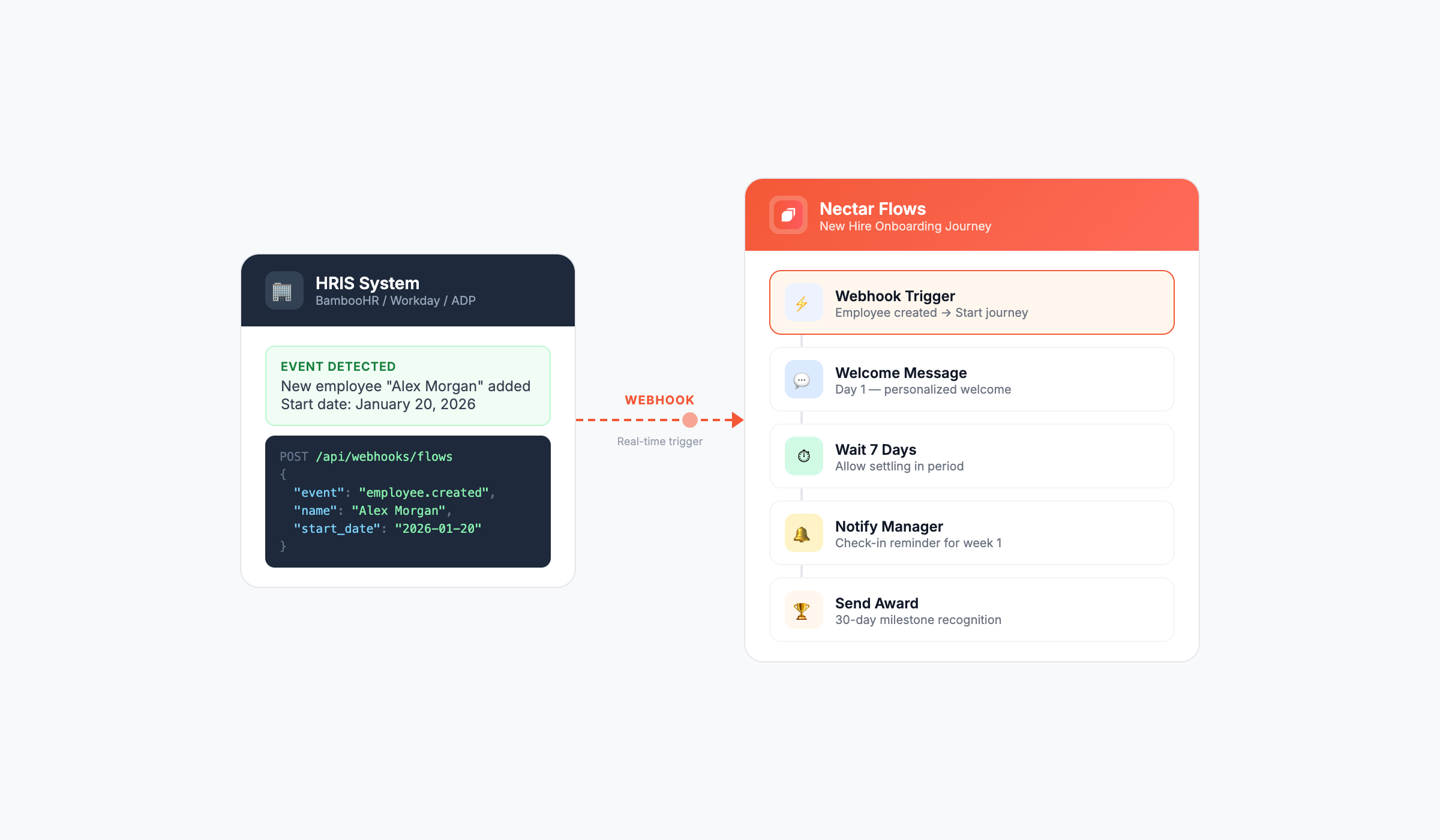
With Flows, you can connect your LMS or training platform via API and automatically trigger recognition when an employee completes a course. A certification earns points. A training milestone gets a team shoutout. A manager gets notified to congratulate them.
This closes the loop between development and recognition. Employees don't just complete training — they're celebrated for it.
What Makes Flows Different
There are plenty of tools that send automated emails. Flows isn't one of them.
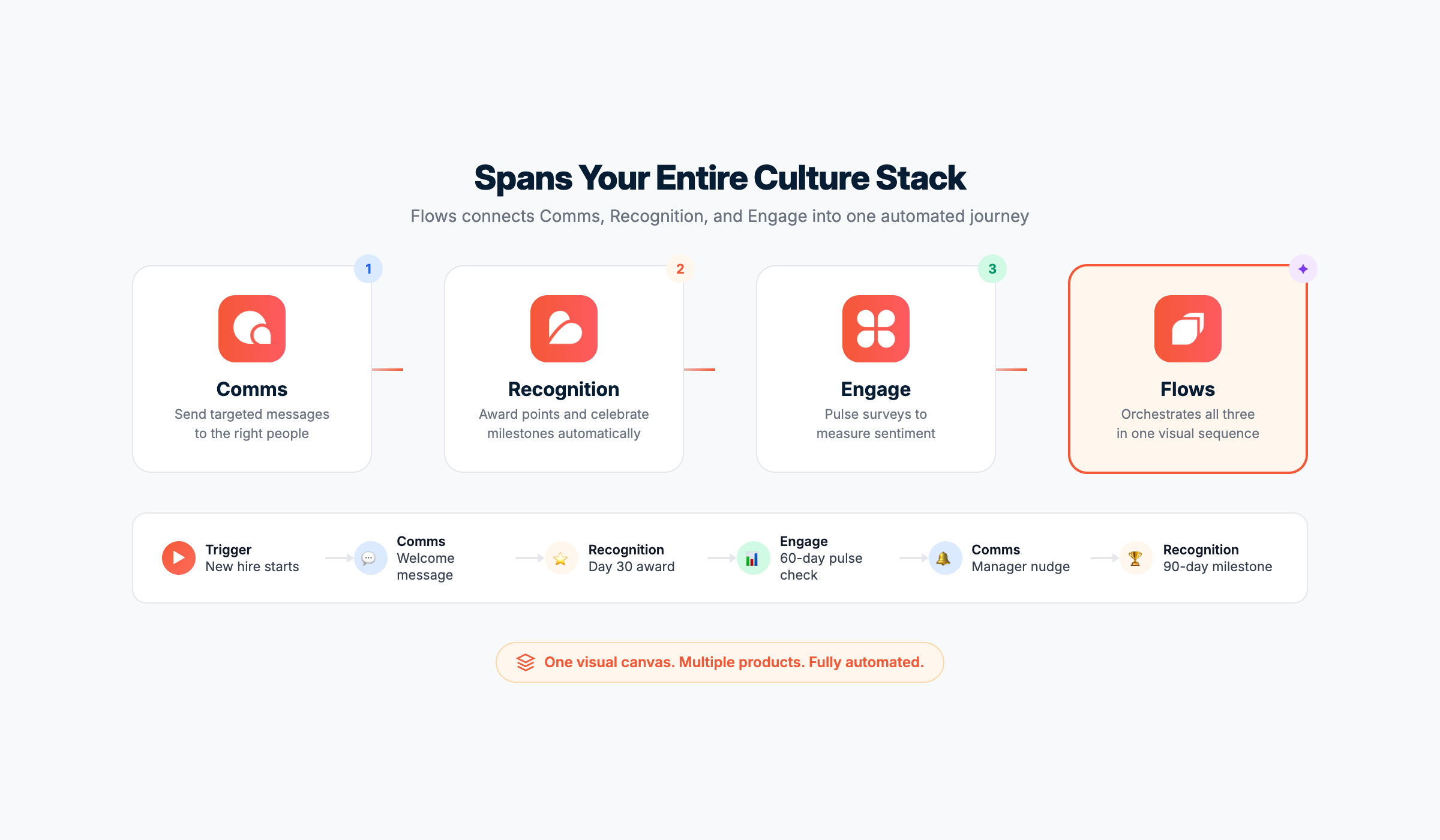
What makes it different is that it connects actions across multiple systems in one visual sequence. A single Flow can:
- Send a communication via email, Slack, Teams, or SMS through Nectar Comms
- Award recognition points through Nectar Recognition
- Trigger a pulse survey through Nectar Engage
- Notify a manager with context about what to do
- Branch based on employee attributes — role, department, location, custom fields
- Delay for a specific duration — hours, days, weeks, months
- Wait for an external trigger — API call, integration event, HRIS update
No other recognition platform offers this. We looked. Most competitors in the space have basic milestone automation at best — a birthday email or a service anniversary badge. None have a visual journey builder that chains comms, recognition, and surveys into one automated sequence.
Getting Started
The biggest misconception about automation is that it takes a long time to set up. With Flows, most teams launch their first journey in under 30 minutes.
1 Pick your first use case.
We recommend starting with new hire onboarding or birthday/anniversary recognition — they're high-volume, high-impact, and easy to template.
2 Start from a template.
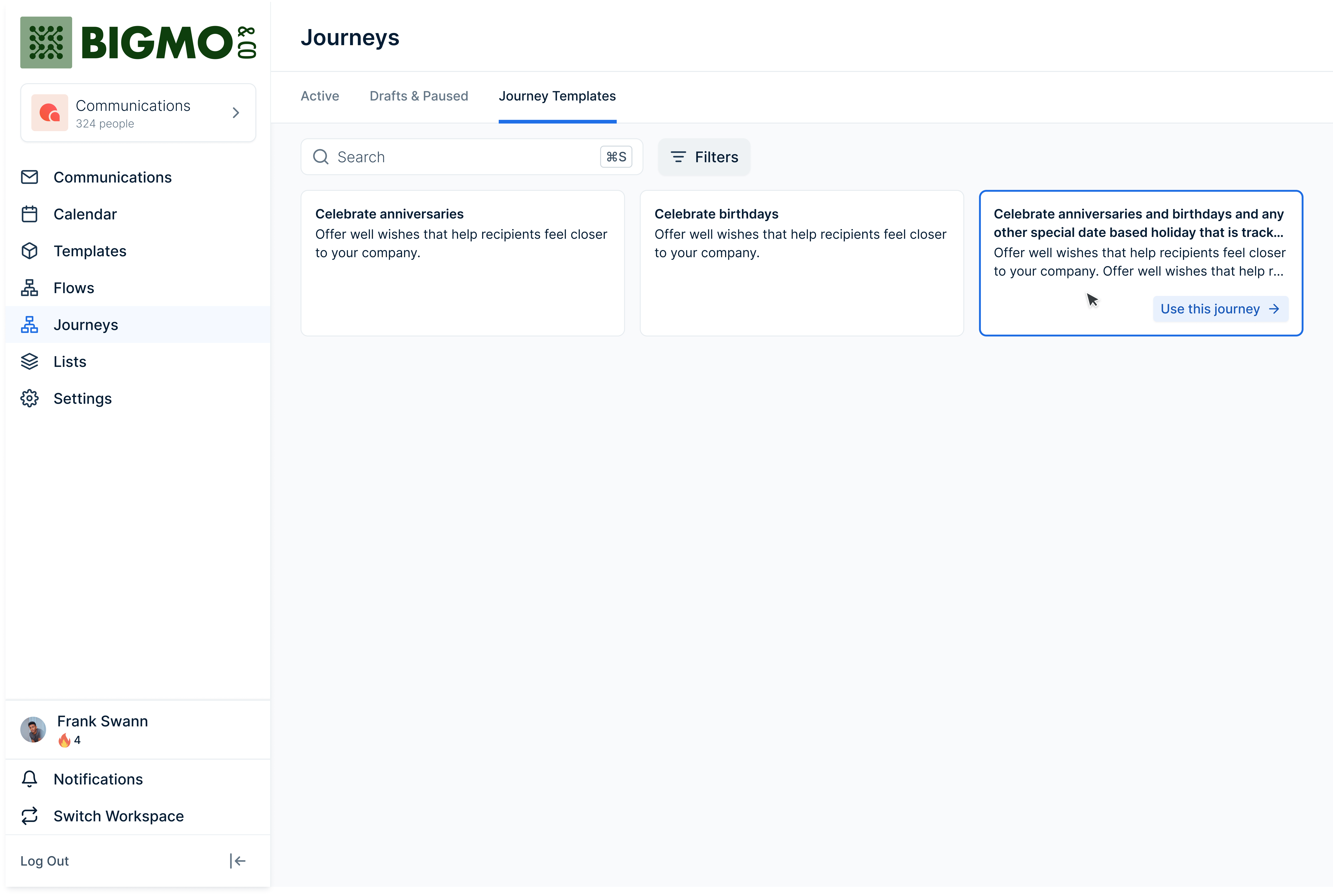
Flows includes pre-built templates for the most common journeys. Pick one, customize the messaging and timing, and you're 80% done.
3 Add your triggers.
Choose what starts the Flow — a hire date, a list membership, an integration event, or a manual enrollment.
4 Publish.
That's it. Every employee who meets the trigger enters the journey automatically. Pause, edit, and resume anytime.
The Bigger Picture
The employee experience isn't one moment. It's hundreds of moments, spread across months and years, touching every department and every level of the organization.
The companies that get this right don't do it by hiring more people or buying more tools. They do it by designing systems that ensure every employee gets a consistent, thoughtful experience — regardless of who's on vacation, who remembered to check the spreadsheet, or whose calendar reminder went off.
That's what orchestration means. And that's what Flows was built for.

At Nectar, we're passionate about creating company cultures people won't want to leave. We're dedicated to creating tools that help companies build stronger cultures, boost engagement, and retain top talent.