AI Is Coming to Employee Recognition: What HR Buyers Should Actually Ask
Here's the TL;DR
"AI-powered recognition" describes four distinct capabilities, each with different value and risk: AI that drafts recognition messages, AI that analyzes recognition data for patterns, AI agents and MCP integrations that surface recognition inside existing workflows, and AI intelligence that replaces rule-based automation with proactive recommendations.
The weakest use case is message generation. Roughly two in three employees say they can distinguish human-written from AI-generated recognition. Employees receiving human-written feedback saw a 13% job performance boost, while those who recognized machine-generated feedback performed 5.4% below that group. Nearly one in five workers report decreased trust in senior leaders who lean heavily on AI, so the credibility cost extends beyond the individual message.
The strongest use case is analysis. Recognition is a behavioral record of who does good work, and at several hundred employees it becomes impossible to mine manually. AI can surface skills that appear in recognition but not in competency models, and flag patterns consistent with disengagement or flight risk.
Buyers evaluating vendors should ask five things: what data trains the AI and where it goes, whether AI increases recognition frequency and participation or only summarizes it, whether AI-generated content is labeled, whether employees can edit it, and how the features work on mobile for deskless workers.
The Rise of AI in Employee Recognition
Whether for good or bad, the world was rocked when ChatGPT came onto the scene in 2022. What started as a tool to write copy has quickly evolved into a tool that can write code, analyze data, brainstorm, and create images or videos.
CEOs and executives rushed to implement AI across their teams and companies. For example, a healthcare organization implemented a simple AI note-taking app that helped give physicians an hour a day back. It’s now estimated that over 78% of enterprises are using AI within their organizations.
HR isn’t immune to this either. AI’s ability to solve complex tasks has doubled every 7 months since 2019, and every 4 months since 2024. AI is being woven into HR compliance, workflows, recruiting and headcount planning, compensation, and employee recognition
AI insights inside of HCM
After the tsunami of AI updates, it felt like new AI companies were popping up everywhere. Even enterprise software companies started to rebrand to become AI software companies to catch on to the craze.
Legacy enterprise HCM (Human Capital Management) systems started to integrate recognition tools into their system. In April 2026, Workday announced a partnership with Achievers to ingest recognition data and use AI to analyze recognition patterns to surface top contributors and in-demand skills.
The launch of an MCP
With the launch of AI, you started to see recognition platforms release MCPs (Model Context Protocol) to their customers. A Model Context Protocol is built so that AI agents and tools can talk to a system. Generally, these are built “on top” of a system's API (Application Programming Interface).
Users will connect a system (like Claude or Codex) to an MCP and then pull analytics and data and analyze that with their HR software data. Historically, companies would take an API and connect it to their data warehouse tool and then process the data there. This would usually allow for teams to work with millions of data points and visualize data. While MCP’s are becoming more popular, they’re still in the innovator phase and usually need to be cleared by a company’s security team because of the sensitive data that it could touch.
Why every vendor suddenly has an "AI recognition" story
Like every other company, recognition companies looked for ways to implement AI into their products. You started to hear about their “AI recognition” story and how they planned on implementing it. Some did it better than others.
While AI in recognition isn’t a bad thing, it can be done the wrong way. Some companies started to add AI to create a shoutout. Users could prompt AI about a coworker, and it would start typing out the shoutout for them. On the surface, it looked amazing, plus it saved the person writing it a ton of time!
However, users quickly started to see through the facade of AI shoutouts as cheap, generic shoutouts - they lacked the authenticity and feeling of a true shoutout from a coworker.
Nectar, on the other hand, released an AI assistant called Clara that allows teams to gather data, create challenges, nominations, and internal communications by chatting to it. They also released Nectar Agents that can comb through the vast amounts of data to nudge managers and admins on ideas for people to recognize, ways to better utilize the platform, and how to reengage an employee who might be silently disengaging.
What "AI in Recognition" Actually Means (A Taxonomy)
Over the next decade, you’ll hear “AI-powered recognition” throughout HR tech. This term will generally fall into four main buckets. Each bucket will have a widely different meaning and risk associated with it.
AI-written recognition messages — and why employees are skeptical
Have you ever just looked at something and just known that it’s off? In Malcolm Gladwell's book Blink: The Power of Thinking Without Thinking, he talks about how a museum wanted to buy a 2,600-year-old Greek statue. After 14 months of intense scientific tests and checking paperwork, everyone thought it was real. However, when an independent art expert saw the statue, they felt an instant “wave of repulsion” and knew it was fake.
Employees are the same way with AI-written shoutouts. According to Nectar’s research, two-thirds say they can tell the difference between a human-written and AI-generated recognition. It also has a material impact on their work as well.
One study found that when employees received human-generated feedback from their managers, they had a 13% job performance boost. However, when employees realized that their feedback came from a machine and was artificial, their performance was 5.4% lower than the human feedback group.
AI analytics: spotting top contributors, skills, and flight risk from recognition data
This is the best use case for applying AI in recognition. Recognition is a behavioral record of who does great work. Recognition data can become impossible to mine for companies that are trying to do it manually across 900 employees.
AI is built to handle sifting through vast amounts of data and uncover patterns about it. It can help you see things like which skills keep getting called out but don’t show up in your competency models. Or, allow you to spot signals about employees that are exhibiting similar patterns to those that are a flight risk.
AI agents and integrations (MCP): recognition where work happens
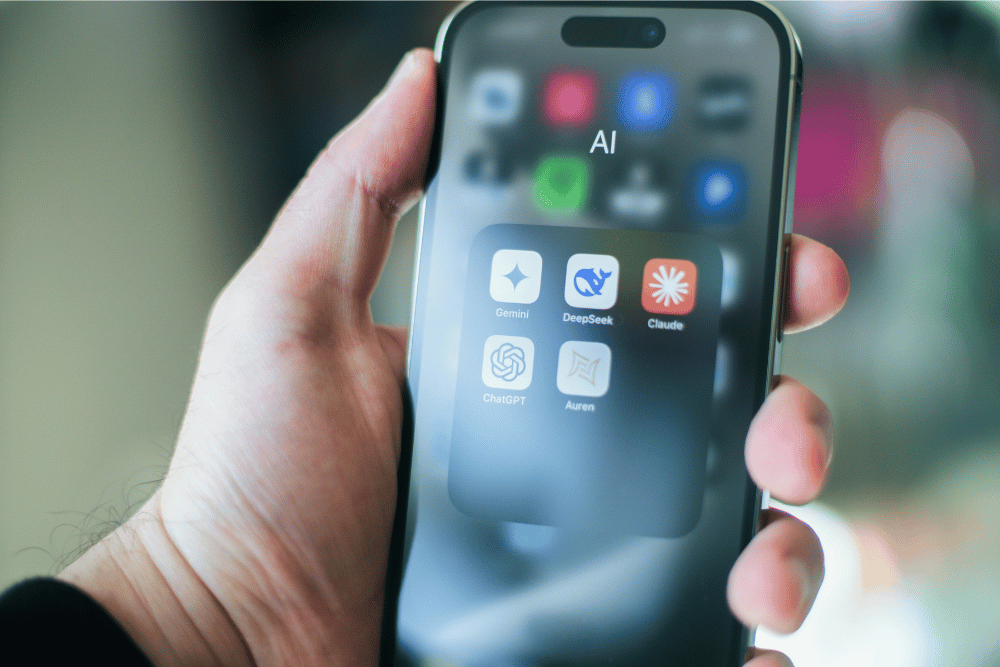
Two newer AI developments are changing where recognition happens. They are integrations and agents. Integrations allow your AI tools to talk to your other software, like your HRIS, CRM, or your recognition platform. These connections are done through a shared standard called an MCP. An MCP (Model Context Protocol) is like a universal adapter and lets tools like ChatGPT, Claude, or Microsoft Copilot connect to your software.
With AI, you ask a question and get an answer. An agent goes a step further. With an agent, you can give it a goal, and it figures out the steps, does them, and reports back. For example, you ask an agent to make sure nobody on your team goes unrecognized this quarter. It checks everyone’s recognition history and finds two people who haven’t gotten a shout-out since April. Then it sends their manager a reminder listing a few of their recent wins. The manager still writes the message, but they no longer have to remember to do it.
Automation vs. intelligence are not the same thing
Software is also starting to expand beyond just automation. For years, tools like Zapier have allowed users to connect different software together and then automate actions based on a series of steps. For example, a new lead comes in from Facebook; it should then go into the CRM and then send a Slack message to an SDR. It runs automatically based on a set of prescribed rules.
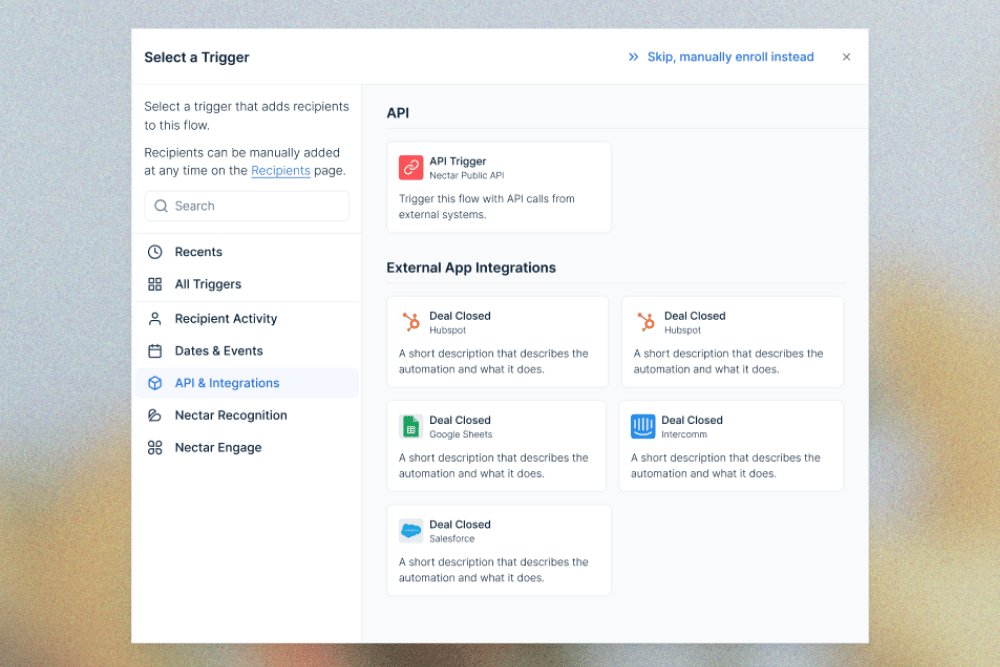
Similarly, Nectar Flows does that for your recognition and communication data. Someone gets a new promotion; you can set up a flow for new manager training. It can walk them through the communications, send them an award, and even do a survey on how to improve for the next managers going through.
The next phase of evolution is intelligence. Since automation is confined to set rules, HR intelligence is designed to analyze millions of data points and bring proactive solutions on what you should do. For example, Nectar Signals looks at recognition data points across your company and can identify when someone is starting to silently disengage. Then it provides you with suggestions on how to re-engage them and catch that fire.
Where the Value Is Real
Reducing friction so recognition happens more often
Ninety-eight percent of employees who receive daily recognition feel valued by their employer, and 77.9% say they'd be more productive if recognized more often. AI should help users identify times when they should shout out a team member. For example, being able to connect to your work calendar to see which team members you’ve worked on projects with recently. Or analyzing those in your team/department that have been recognized recently and then suggesting them to you.
Surfacing insights managers would never see manually
Twenty-eight percent of employees never receive recognition from their CEO or executive team, and among women that figure climbs to 36%. Employee recognition software should identify patterns and trends within the data and surface them with recommended actions you should take.
Your managers and executive leadership team don’t have time to dig through mounds of data. They need that data delivered to where they work. Whether that’s through weekly emails, suggested shoutouts in the app, or agents delivering nudges through Slack or Teams. AI’s job should be to make it easier to recognize and celebrate your employees.
Where It's Mostly Theater
There’s an authenticity problem when recognition is written by a robot
In a recent survey, Nectar found that the top variable for making recognition meaningful was being authentic and personal. Some employee recognition tools are utilizing AI to fully generate the recognition message for their users.
For example, they’d put in a prompt like, “Send Kelly a shoutout about covering my shift.” Then their tool would write it and post it. That’s the opposite of authentic and personal. There’s also a broader cost. Nearly one in five workers said that they report decreased trust in a senior leader who leans heavily on AI.
So not only do employees lose faith in the shoutout when it’s written by AI, but they also begin to lose faith in leadership as well.
AI features that demo well but don't change behavior
Some features sound great in a demo or on a sales deck, but can become a nightmare when they’re actually built. This isn’t limited to just HR. McDonald’s and IBM rolled out an AI-powered drive-through system to increase efficiency and speed up the drive-through. It was a disaster. In one instance, a customer ordered 10 chicken nuggets, and the AI system ordered 260.
Some features that look great on a demo but you should take a closer look at include:
- Recognition Assistants - This demos really well when you put in a prompt like “I want to recognize Sarah for covering my shift last night.” However, it lacks authenticity and personal touch for Sarah and the person sending the shoutout.
- MCP Servers - While it is cool to see Claude or Codex connect to an MCP and start to pull your recognition data, that usage is usually limited to a handful of people. Your frontline employees won’t connect to the MCP, and having an MCP won’t change how they send shoutouts.
- Themes and Summaries - AI is amazing at organizing recognition into themes and summaries of what is happening. Where AI tools often fall short is the “what now?” part of the equation. Now that you have those different themes, what are you going to do?
- Thank You Suggestions - Another cool feature is AI-generated “thank you” responses. So after someone sends you a shoutout, the AI can generate a thank you to the person sending a shoutout. Does an AI-generated thank you make it more likely that person will be shouted out again? Probably not.
The Questions HR Buyers Should Ask Every Vendor
Nearly 77% of companies plan to purchase or increase spending on new software in 2026. So here are some questions to help you prepare for the demos and come away with what you actually need to know.
What data trains the AI, and where does our data go?
Your employee recognition data can contain PII (Personally Identifiable Information) about your employees. This data has to be kept secure and meet certain privacy standards to protect your business. Depending on what information is being transferred over from your HRIS and what information people include in shoutouts, you could have data around:
- Birthdays
- Work Anniversaries
- Performance Evaluations
- Life Events - Weddings, Deaths, Adoptions, etc
- Pay Information
- Location
- And more
You’ll want to be direct with your sales rep about data questions so that you get clear answers. Some questions that you can ask are:
- What data is used to train or improve the AI models?
- Is our organization's data used to train models that benefit other customers?
- Which third-party AI providers receive our data?
- Where is the data stored and processed?
- How long is AI-related data retained?
- Can our organization opt out of model training?
- What happens to our data if we leave the platform?
They should be able to clearly answer all of these questions or point you to their security and data handling procedures.
Does the AI increase recognition frequency and participation — or just summarize it?
This may be the most important question (outside of security and privacy) that you can ask. You’re looking to understand if AI is just understanding and regurgitating recognition back to you, or is it creating opportunities for more recognition to happen?
Ask for stats or data around employees who gave monthly recognition before and after an AI feature shipped. Ask for customer references that you can talk to and see what their experience is with the new features. If a vendor can show you evidence that their AI features are improving these areas, then you’re headed in the right direction:
- Recognition participation
- Recognition frequency
- Percentage of employees giving recognition
- Percentage of employees receiving recognition
- Manager participation
- Cross-team/department recognition
Can employees tell when a message is AI-generated?
AI is very helpful in getting over the blank-page problem. However, inauthentic shoutouts can make problems worse. Nearly 2 in 3 employees report that they can tell the difference between a human-written and an AI-written recognition message. The last thing you want is for a shoutout to appear on the Is This AI subreddit.
Have the sales rep show you some examples of AI-generated content in the platform. Is it easy to tell the difference between what is AI and what isn’t? If something is AI, is it clearly marked that it’s AI? Other questions you should ask are:
- Can employees edit the content before sending it?
- Does the AI preserve the employee's own voice?
- Can employees disable AI assistance?
- How does the system prevent generic or repetitive recognition?
- Does the platform encourage employees to add their own context?
What happens to the experience for deskless/frontline workers?
AI features look great on a laptop, but how do they work on mobile? Nearly 80% of workers don’t have a dedicated desk. That’s a big problem if all of the AI features only work on a laptop at a desk.
Carve out time specifically in the demo to see how the mobile app works with your deskless and frontline employees. That way you can make sure that recognition (and AI) is accessible for everyone in your organization.
Don’t Get Caught Up In Buzzwords
AI has the potential to change employee recognition. Not only can it make it easier for employees to recognize each other, but it can also provide insights across teams and departments and prompt proactive opportunities to recognize each other.
The next generation of recognition platforms shouldn't simply use AI to write, summarize, and analyze recognition that already happened. They should use AI to understand context, identify meaningful moments, reach employees who are being overlooked, and make recognition more likely to happen at exactly the right time.

Desirae Serdar is a freelance writer specializing in technology, HR, and people management. With a passion for helping organizations create better workplaces, she explores topics that empower companies to build engaged and motivated teams. When she’s not writing, Desirae enjoys unwinding at the beach with her toes in the sand and a good book in hand.


Frequently Asked Questions
What does "AI-powered recognition" actually mean?
The term covers four distinct things: AI that writes recognition messages, AI that analyzes recognition data for patterns, AI agents and integrations that deliver recognition where work happens, and AI that replaces rule-based automation with proactive intelligence. Each carries different value and different risk, so the label alone tells a buyer very little.
Can employees tell when a recognition message is written by AI?
Usually, yes. Roughly two out of three employees say they can distinguish human-written recognition from AI-generated recognition. The gap also affects outcomes: employees who received human-written feedback saw a 13% job performance boost, while employees who realized their feedback was machine-generated performed 5.4% below the human-feedback group.
What's the risk of using AI to write shoutouts?
Authenticity is the top variable that makes recognition meaningful, and a fully AI-generated message removes it. The damage extends past the individual shoutout — nearly one in five workers report decreased trust in a senior leader who leans heavily on AI. The message loses credibility and so does the person who sent it.
What is an MCP in recognition software?
A Model Context Protocol is a shared standard that lets AI tools like ChatGPT, Claude, or Microsoft Copilot connect to another system, usually built on top of that system's API. In practice it's used to pull recognition analytics into an AI tool for analysis. Adoption is still early, and most security teams review it before approval because of the sensitive data involved.
What's the difference between automation and intelligence in HR software?
Automation runs prescribed rules: an event happens, defined steps follow. Intelligence analyzes large volumes of data and proactively recommends what to do — for example, identifying an employee whose recognition patterns suggest they're quietly disengaging and suggesting how to re-engage them. Automation executes; intelligence decides what's worth executing.
What should HR buyers ask vendors about AI in recognition?
Five areas: what data trains the AI and where it goes, whether the AI increases recognition frequency and participation or only summarizes it, whether employees can tell when a message is AI-generated, whether AI content is labeled and editable, and how the AI features work on mobile for deskless and frontline workers.