
Don't write performance reviews from memory
Nectar Perform puts a year of recognition beside every self- and manager review, so reviews come with receipts.
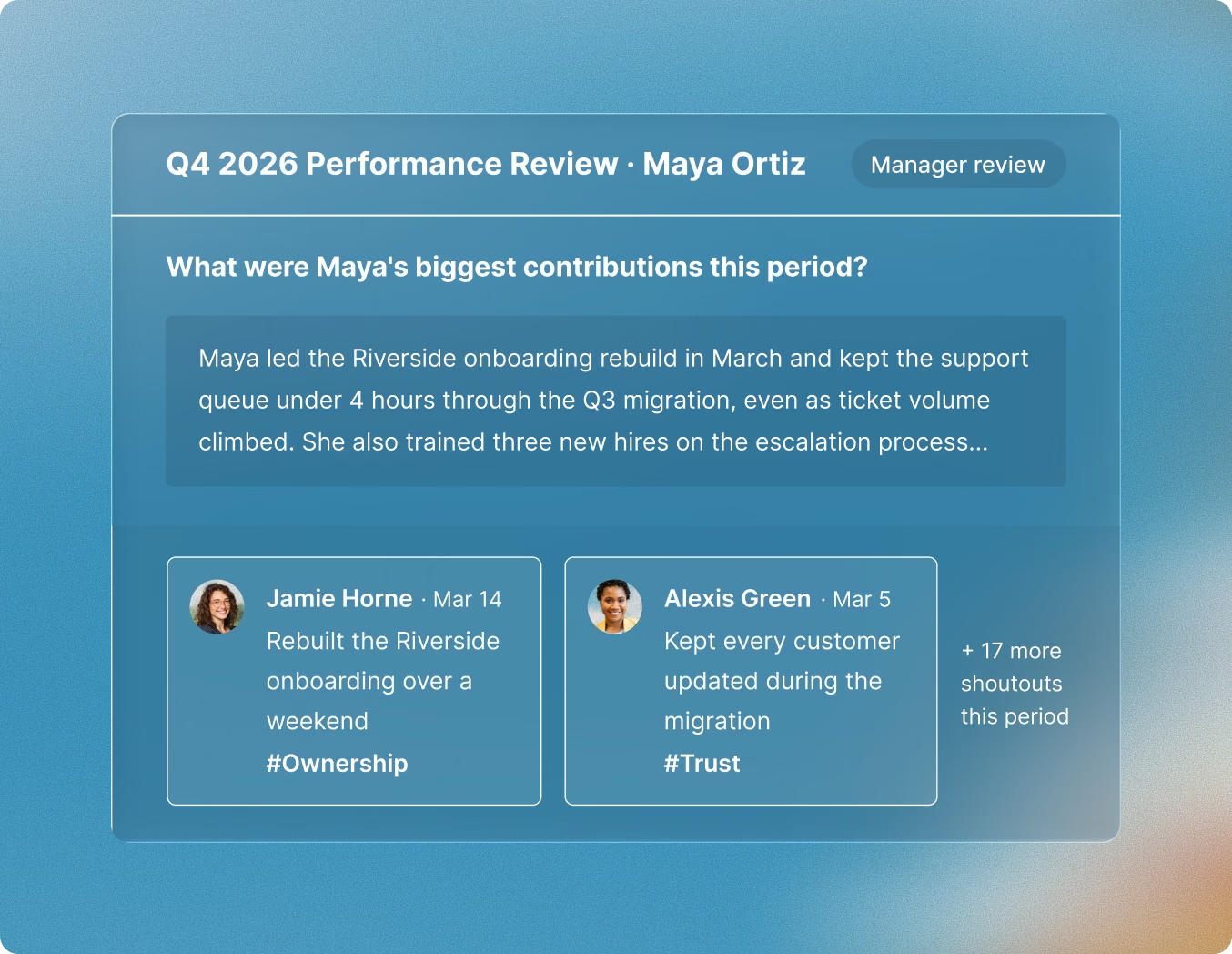












Reviews with receipts
Context Panel
Summary, Projects, and Skills tabs sit beside the review form while people write.
Flexible Review Windows
Lorem ipsum dolor sit amet, consectetur adipiscing elit. Pellentesque vehicula elementum quam eget tempus.
Cited AI Digest
Lorem ipsum dolor sit amet, consectetur adipiscing elit. Pellentesque vehicula elementum quam eget tempus.
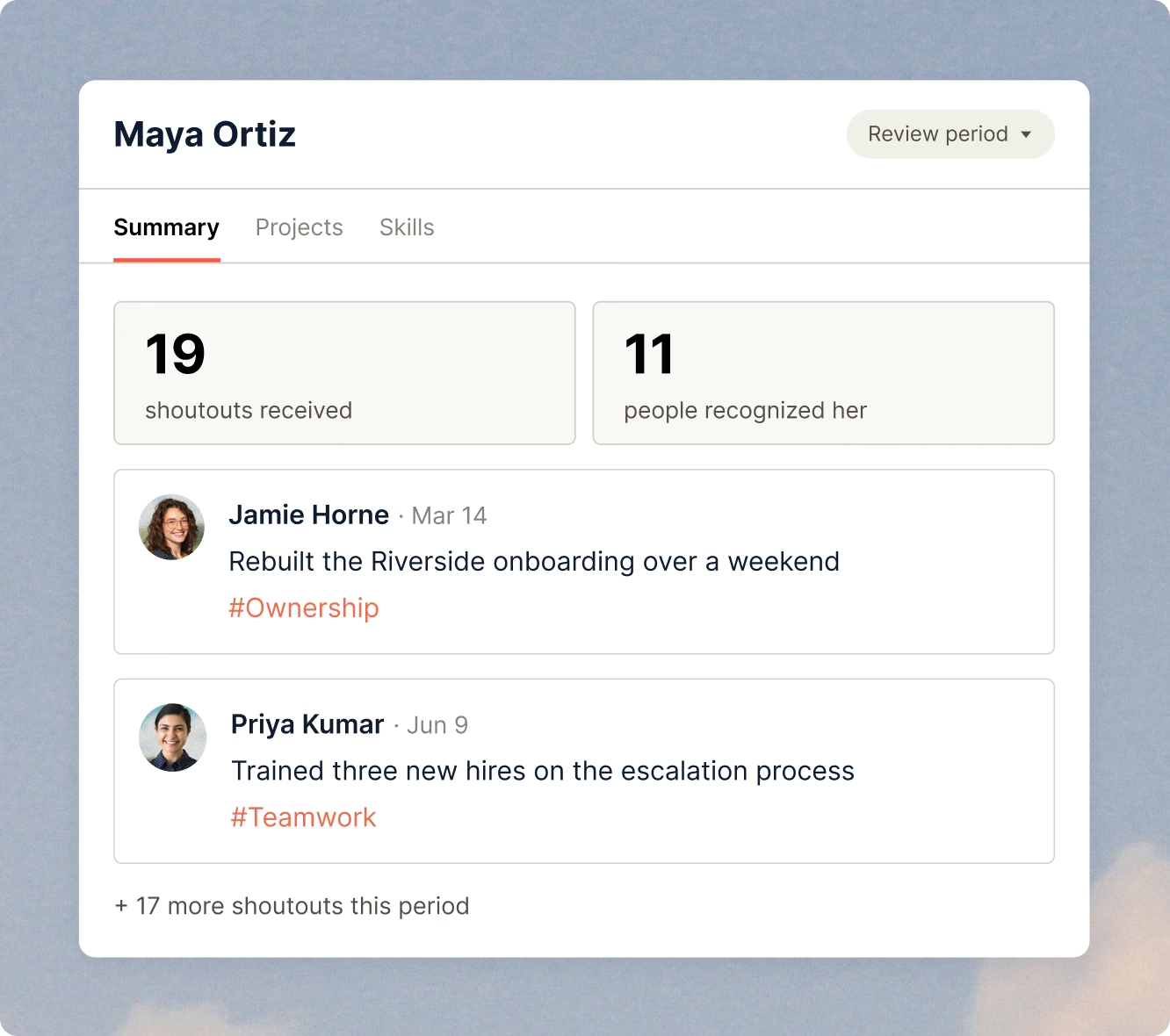
More than your HRIS
Launch in an afternoon
Templates and Question Bank
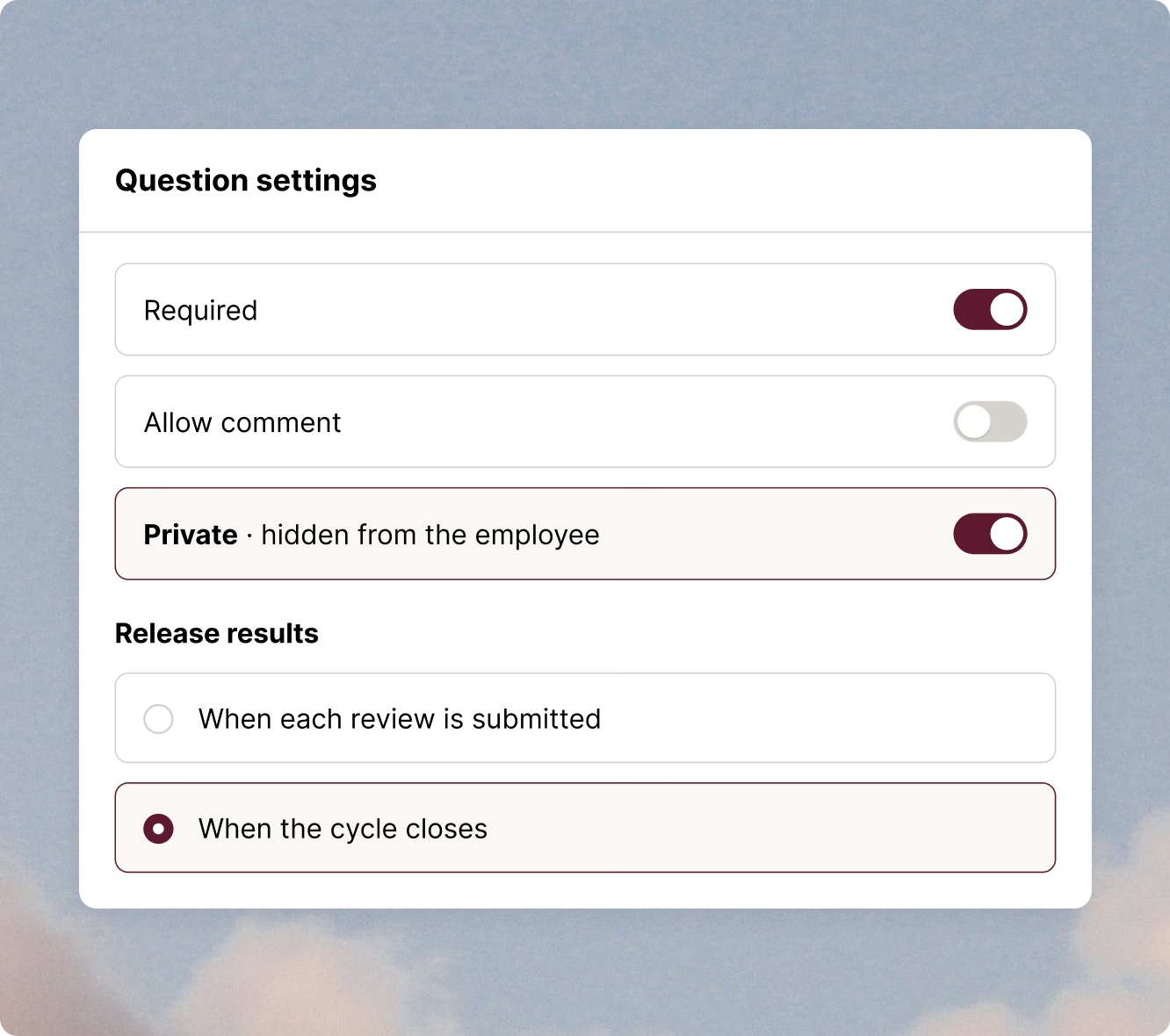
Five question types (5-point Likert with custom labels, single select, multi select, open response, and slider), and any question can be required, take a comment, or be private.
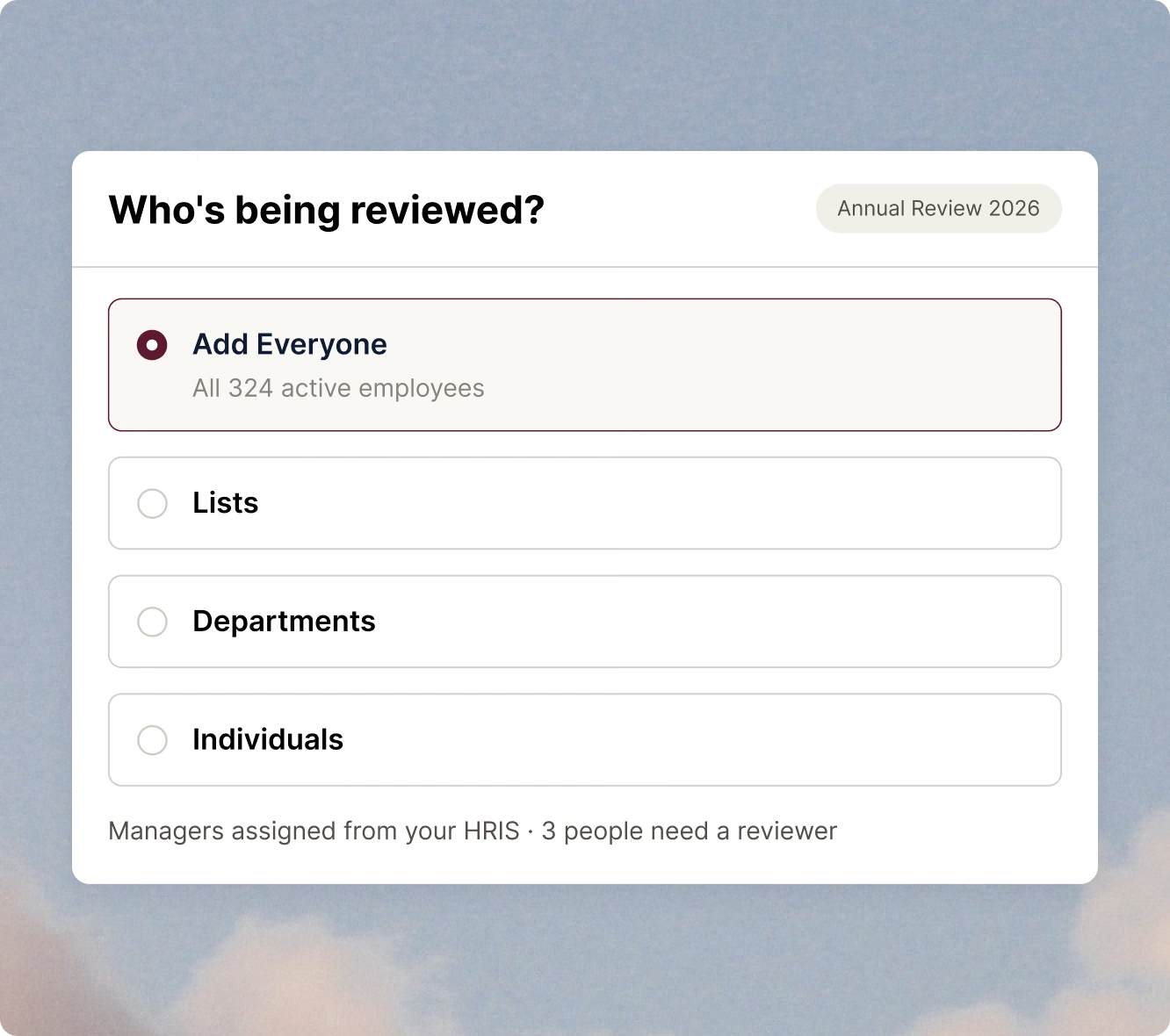
One-Click Enrollment
Lorem ipsum dolor sit amet, consectetur adipiscing elit. Pellentesque vehicula elementum quam eget tempus.
HRIS-Based Manager Assignment
Lorem ipsum dolor sit amet, consectetur adipiscing elit. Pellentesque vehicula elementum quam eget tempus.
Get every review finished
Reminders That Skip Finishers
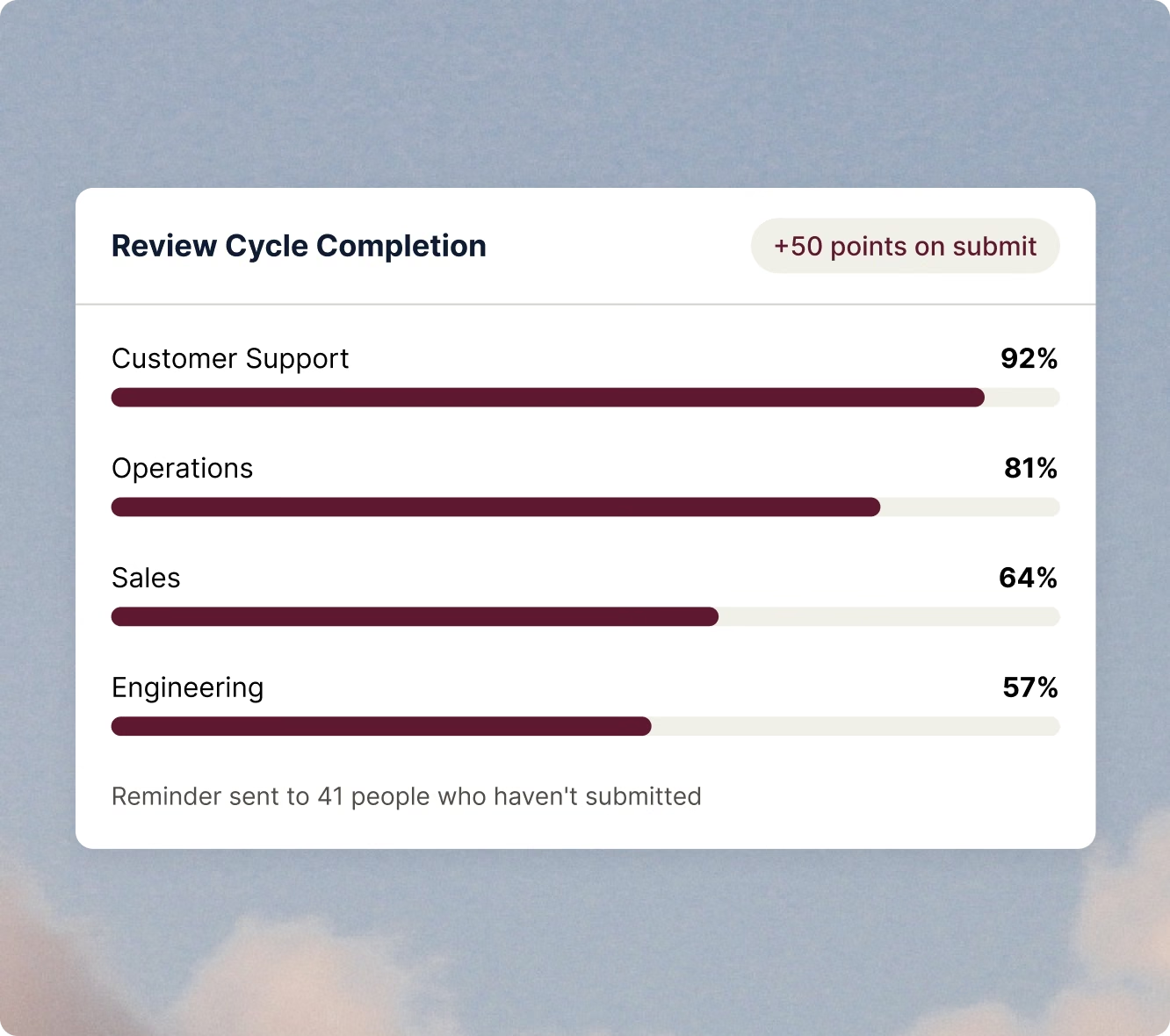
Automatic and manual reminders go out by email and in Nectar, and only reach people who haven't submitted.
Points for Completion
Lorem ipsum dolor sit amet, consectetur adipiscing elit. Pellentesque vehicula elementum quam eget tempus.
Completion by Team
Lorem ipsum dolor sit amet, consectetur adipiscing elit. Pellentesque vehicula elementum quam eget tempus.
Control what employees see
Private Manager Questions
Mark any question private so the manager's answer never appears in the employee's released review.
Release Timing
Lorem ipsum dolor sit amet, consectetur adipiscing elit. Pellentesque vehicula elementum quam eget tempus.
Exports and Audit API
Lorem ipsum dolor sit amet, consectetur adipiscing elit. Pellentesque vehicula elementum quam eget tempus.
Reviews that run on everything else you use in Nectar
Part of Nectar One

Nectar Recognition
Shoutouts tied to your company values and rewarded with points build the year of context every review starts from.

Nectar Engage
Pulse surveys show how people feel about their managers and the review process between cycles.

Nectar Signals
Engagement health and retention risk flag who is trending down, so a review is never the first time a problem surfaces.
FAQs
Lorem ipsum dolor sit amet, consectetur adipiscing elit.
Lorem ipsum dolor sit amet, consectetur adipiscing elit. Pellentesque vehicula elementum quam eget tempus. Praesent ante elit, mollis id arcu at, imperdiet ornare ipsum. Ut venenatis diam sit amet metus pharetra vestibulum. Nulla vitae consequat sapien.
Lorem ipsum dolor sit amet, consectetur adipiscing elit.
Lorem ipsum dolor sit amet, consectetur adipiscing elit. Pellentesque vehicula elementum quam eget tempus. Praesent ante elit, mollis id arcu at, imperdiet ornare ipsum. Ut venenatis diam sit amet metus pharetra vestibulum. Nulla vitae consequat sapien.
Lorem ipsum dolor sit amet, consectetur adipiscing elit.
Lorem ipsum dolor sit amet, consectetur adipiscing elit. Pellentesque vehicula elementum quam eget tempus. Praesent ante elit, mollis id arcu at, imperdiet ornare ipsum. Ut venenatis diam sit amet metus pharetra vestibulum. Nulla vitae consequat sapien.
Lorem ipsum dolor sit amet, consectetur adipiscing elit.
Lorem ipsum dolor sit amet, consectetur adipiscing elit. Pellentesque vehicula elementum quam eget tempus. Praesent ante elit, mollis id arcu at, imperdiet ornare ipsum. Ut venenatis diam sit amet metus pharetra vestibulum. Nulla vitae consequat sapien.
Lorem ipsum dolor sit amet, consectetur adipiscing elit.
Lorem ipsum dolor sit amet, consectetur adipiscing elit. Pellentesque vehicula elementum quam eget tempus. Praesent ante elit, mollis id arcu at, imperdiet ornare ipsum. Ut venenatis diam sit amet metus pharetra vestibulum. Nulla vitae consequat sapien.